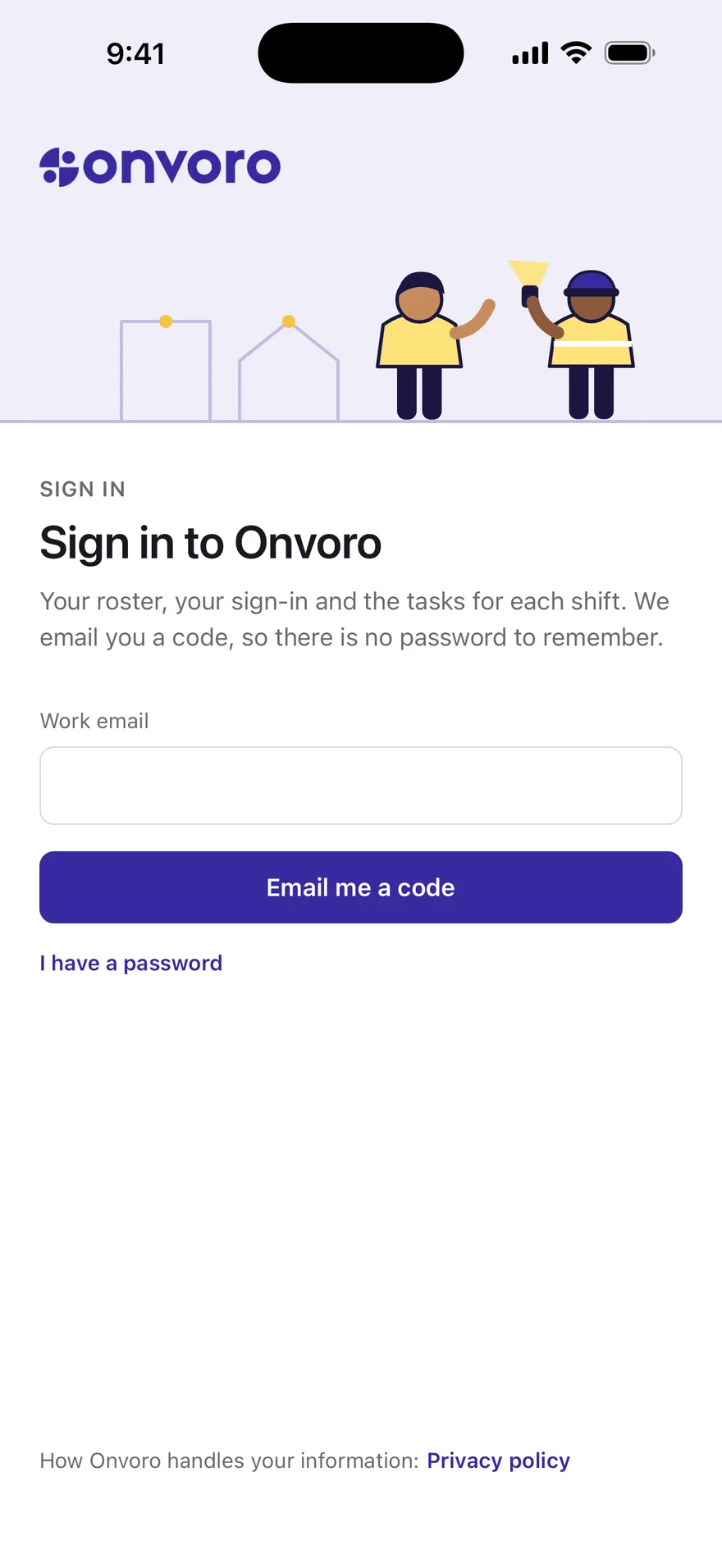
THE ONVORO APP
The record starts on their phone.
Where to be, what needs doing and what they did, on their iPhone or iPad. Everything they tap lands in the same record the office reads.
My work
Their day, before anybody has to ring them.
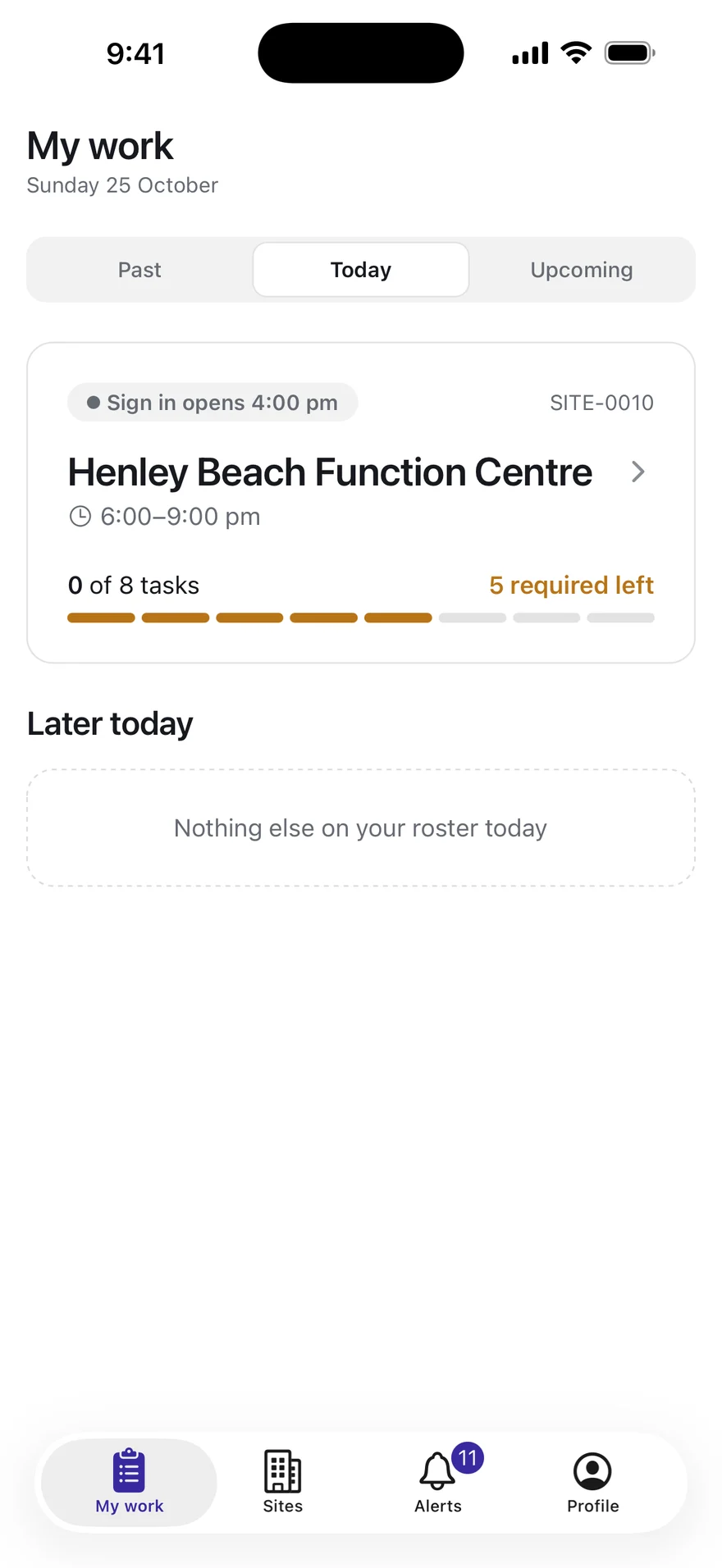
The app opens on what they are doing today, and the week after it is one tap along.
Tonight’s shift, first
The one they are on or the next one, with when signing in opens and how much of the checklist is left.
Nothing they do not need
Their own shifts and jobs, and nobody else’s.
The week ahead
Upcoming lists the next two weeks by day, so a change to the roster is a change on their phone.
Before they leave
Every shift, ready before they leave home.
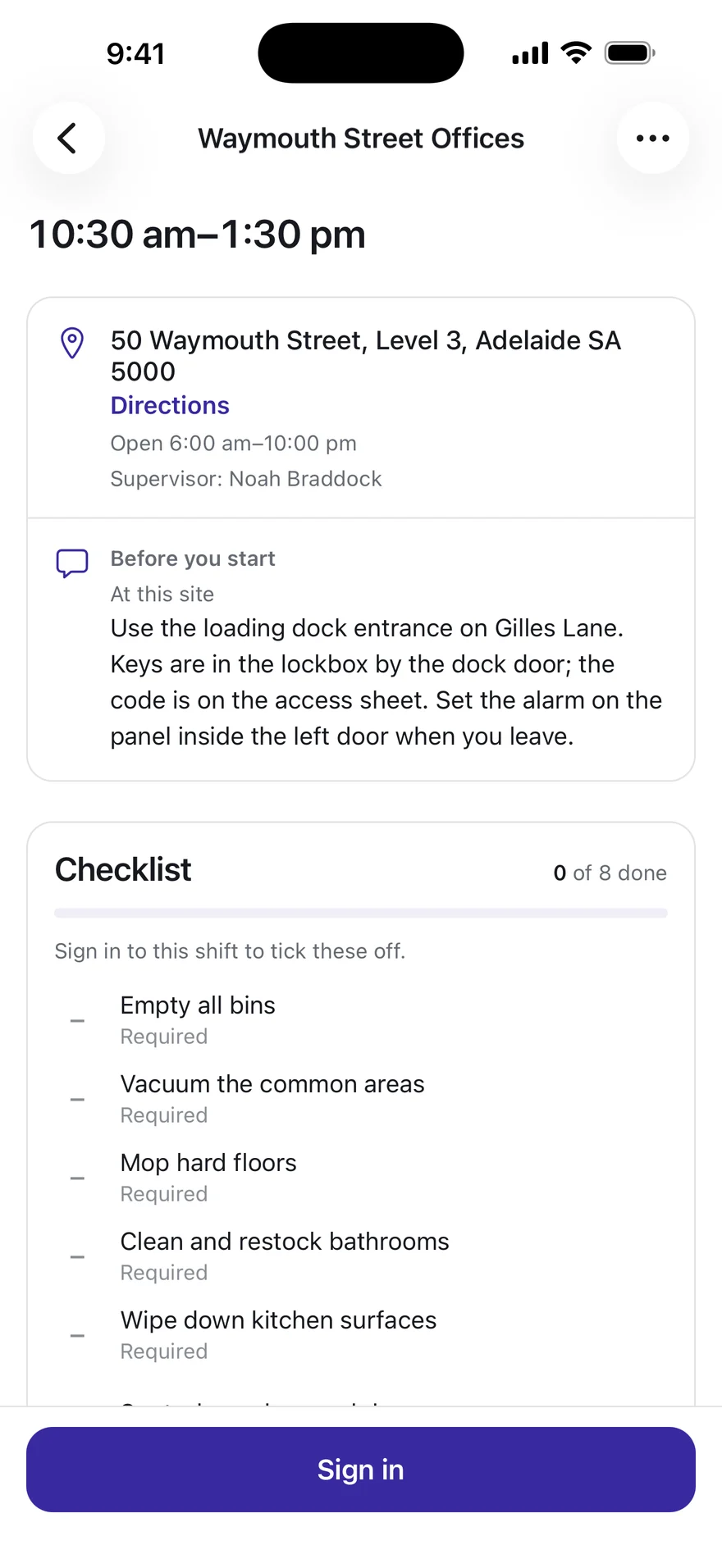
The site, the times, the way in and the work, on the shift itself.
How to get in
The address with directions, the site’s hours, who supervises it, and the arrival notes the office wrote.
The checklist, before they arrive
The shift’s tasks, the required ones marked, ready to tick once they have signed in.
Signing in
One tap at the site, and the hours start there.
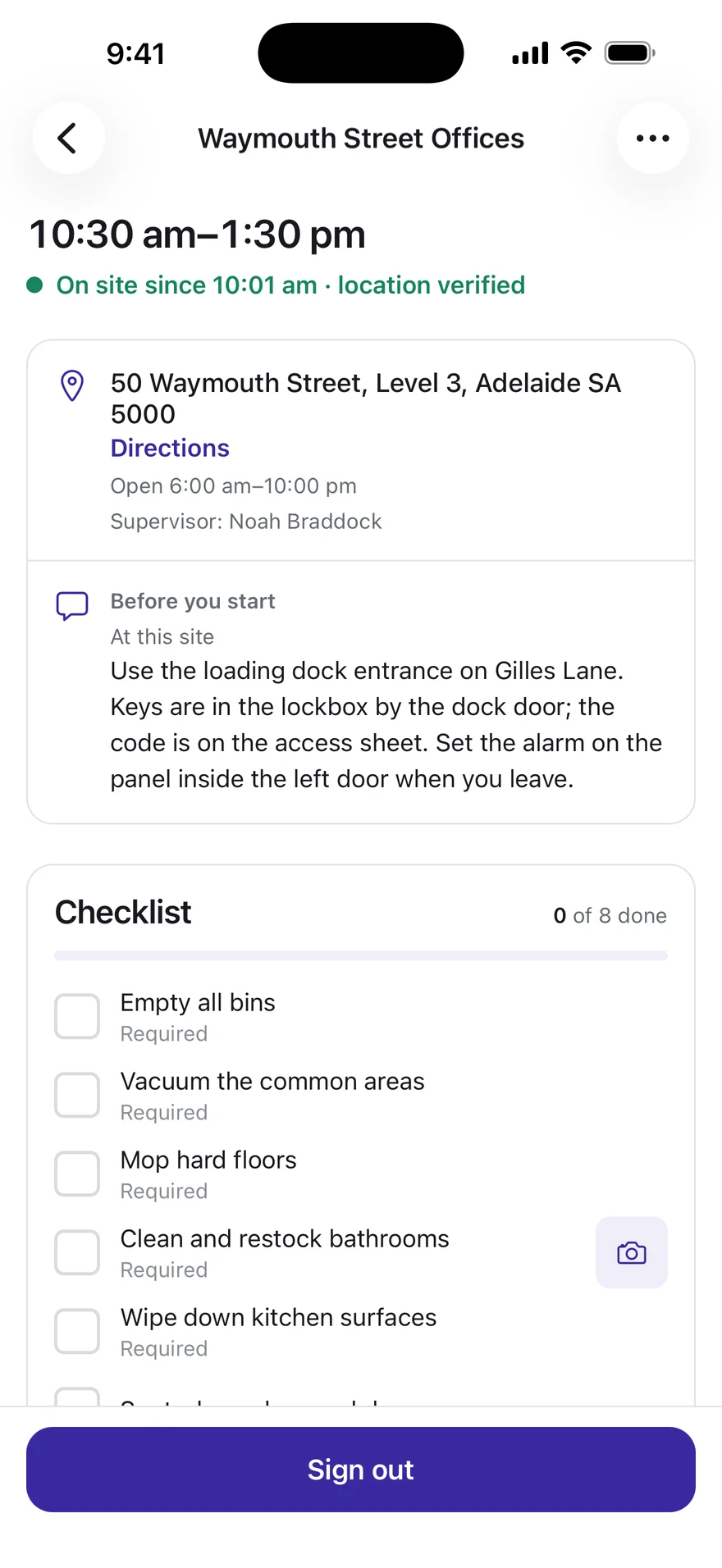
Signing in and out is what records their time, judged against the site’s own geofence.
Located twice, and never in between
Their position is read when they sign in and when they sign out. Nothing follows them through the day.
A doubtful reading asks why
Outside the fence or a weak signal asks for a sentence rather than turning them away, and the office sees both.
Signing out is the timesheet
The hours go for review the moment they leave, with nothing for anybody to type.
Proof
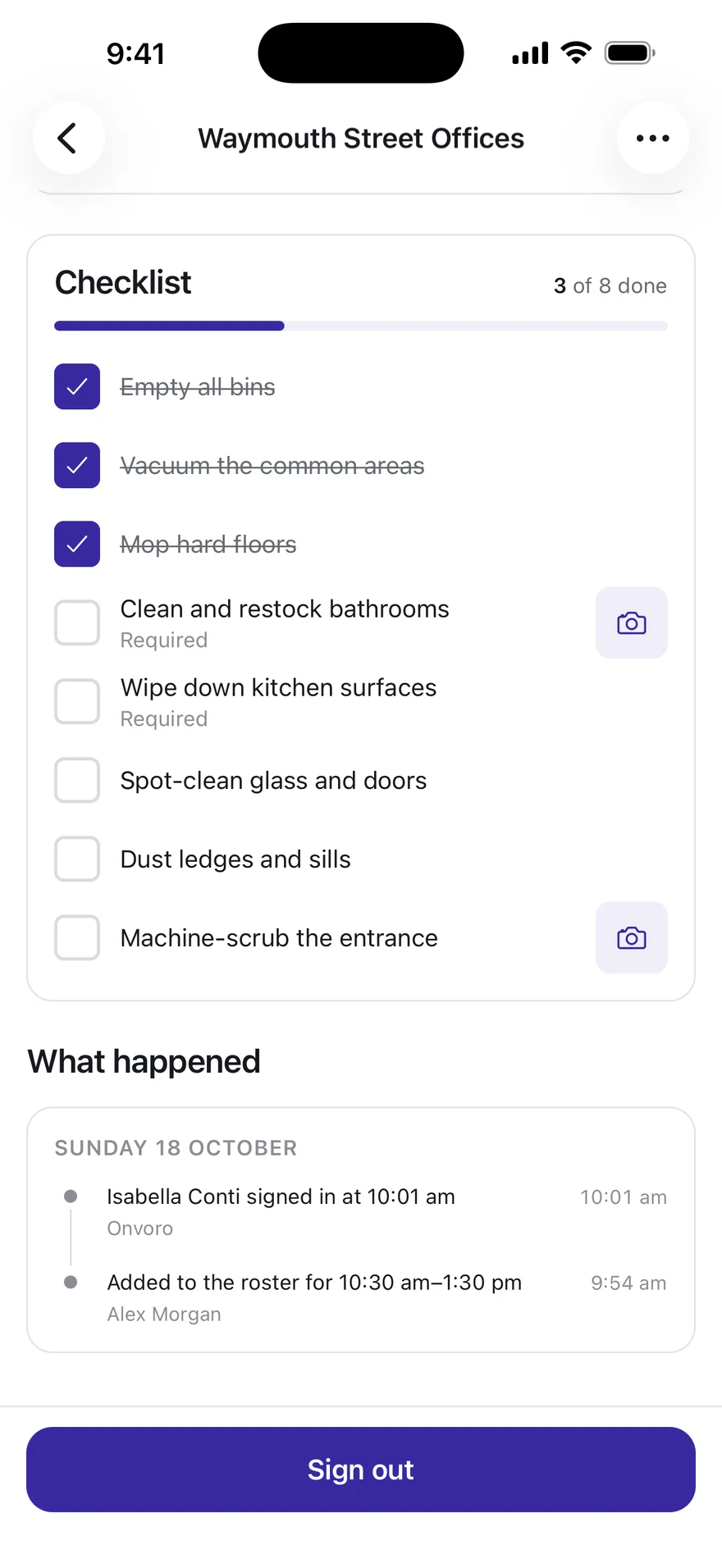
Every task ticked, with a photo where it counts.
What was done is recorded as it is done, on the shift it was done on.
Saved as they go
Each tick is kept the moment it is made, not at the end of the shift.
A photo where a task asks for one
A task that needs a photo is not done until it has one, so a tick on its own does not count as proof.
The shift’s own story
Who signed in and when, and what changed, on the same screen as the work.
Alerts
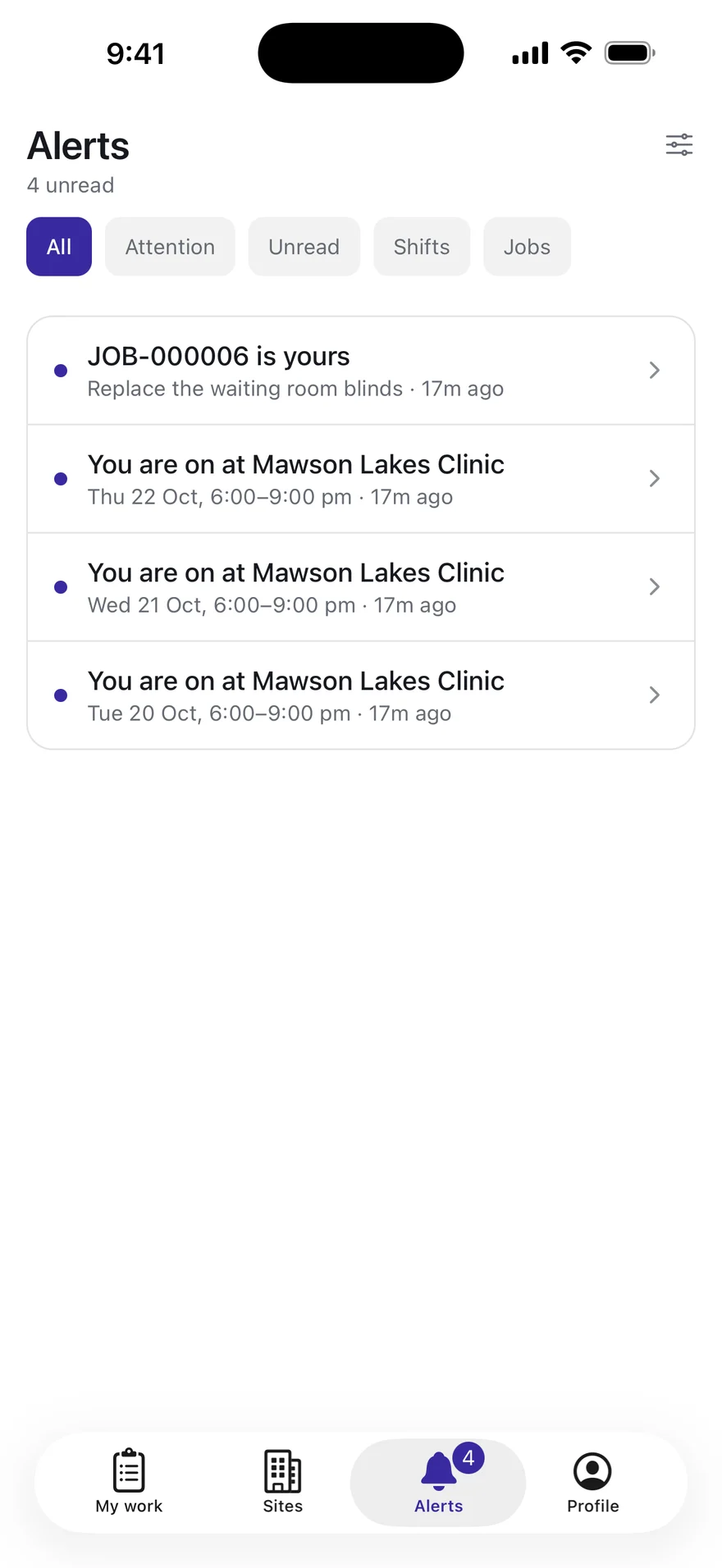
Work arrives the moment it is given.
A shift or a job put on somebody reaches their phone as it happens.
Theirs, and nobody else’s
Each alert is addressed to one person, and only they see it.
Opens where it is about
A tap goes straight to the shift or the job.
Quiet when they want it
They choose what makes their phone buzz, and the alert is kept either way.
Problems
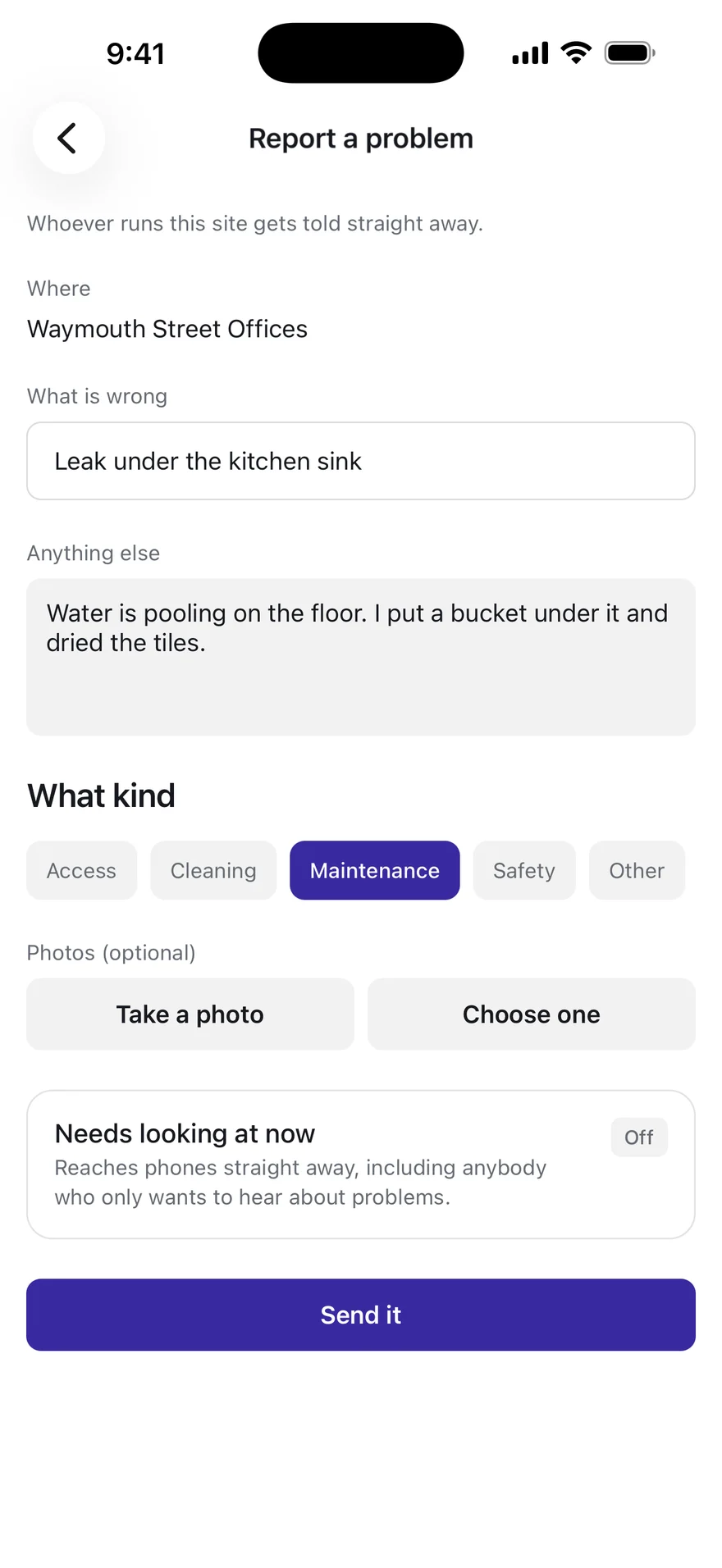
Spot it, report it, with a photo.
A leak, a locked door or a hazard goes to whoever runs the site, straight away.
The site comes with it
Reported from the shift, so nobody has to say where they are.
What kind, and how urgent
Access, cleaning, maintenance or safety, and a switch for the ones that cannot wait.
A photo of what they saw
Taken there and then, or chosen from their phone.
For owners and managers
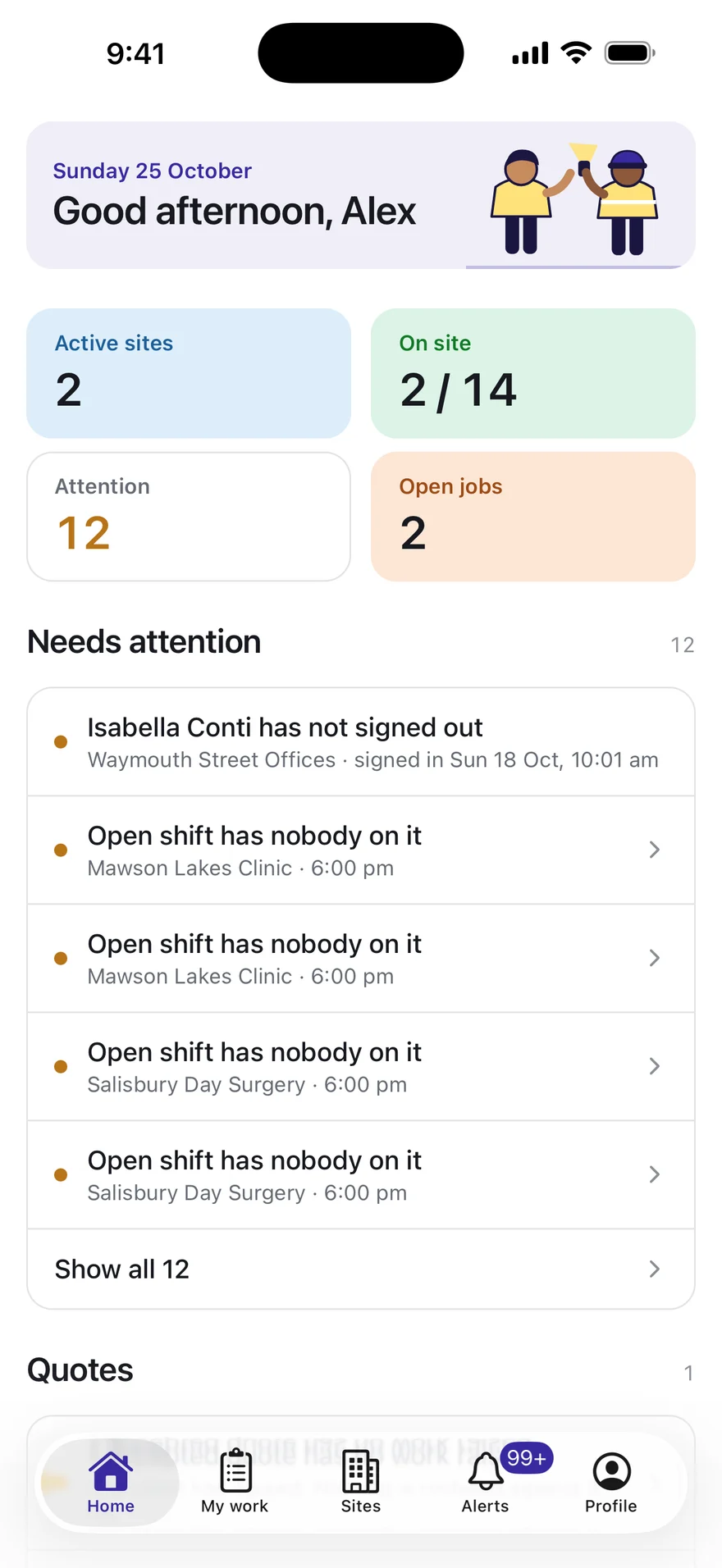
What needs them, before anybody asks.
Home opens on the day as it stands: who is on site, what is open, and what needs somebody now.
Counted where the work is
Sites with somebody on them, who is on site against who is rostered, and the jobs still open, across the sites they look after.
What needs attention, worst first
A forgotten sign-out, a shift with nobody on it or a late start, each one tap from the record it is about.
Only what they can open
A figure appears only where they could open the list behind it, so nothing counts what they are not allowed to see.
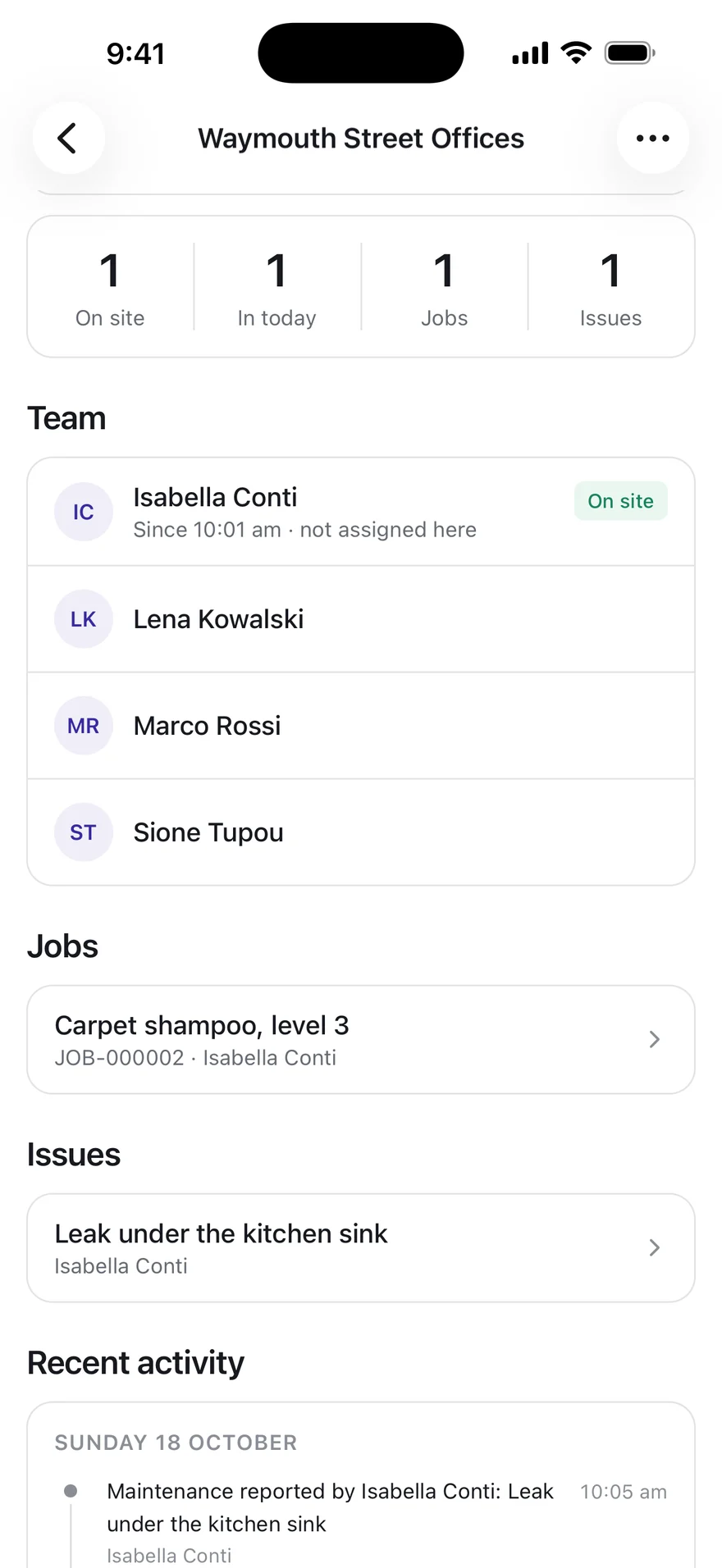
For supervisors
Every site they look after, from the car park.
The same app, shaped by role: a supervisor sees the sites they run as well as their own shifts.
Who is on site, now
Signed in and not yet signed out, which is different from rostered.
What is open
The jobs and the problems at the site, each one tap away.
What has happened
The site’s activity, newest first, on the site’s own clock.
For everybody on the roster
One app, whoever they are.
There is no worker app and manager app to choose between. What somebody sees follows from what they do.
Shaped by their role
A cleaner sees their own shifts and jobs. A supervisor on the same app sees the sites they look after.
Given by their business
Nobody signs themselves up. A person can sign in once the business that rosters them adds them.
On iPhone and iPad
There is no Android app yet. On an iPad the screens keep a readable width rather than stretching across it.
Nothing to buy
The business pays for Onvoro. The people using the app never see a price.